The starting point was a Meta support discussion about starting an app automatically. It prompted an experiment: could I make a Quest return to the experience I wanted people to use?
The result is the Meta Quest Autoload Controller, a small Windows utility for a lightweight pseudo-kiosk mode. Connect over USB, choose an installed app, and enable launch on boot and reopening after exit. Once configured, a helper on the headset handles that behaviour without the PC or cable.
For my setup, disabling the Meta Store was part of the solution: it kept appearing automatically. The controller includes that option alongside auto-start and auto-return. Keeping the headset focused on one experience is useful for demos and training; normal Store access is unavailable until restored. Depending on how you use the headset, that can be a benefit or a limitation.
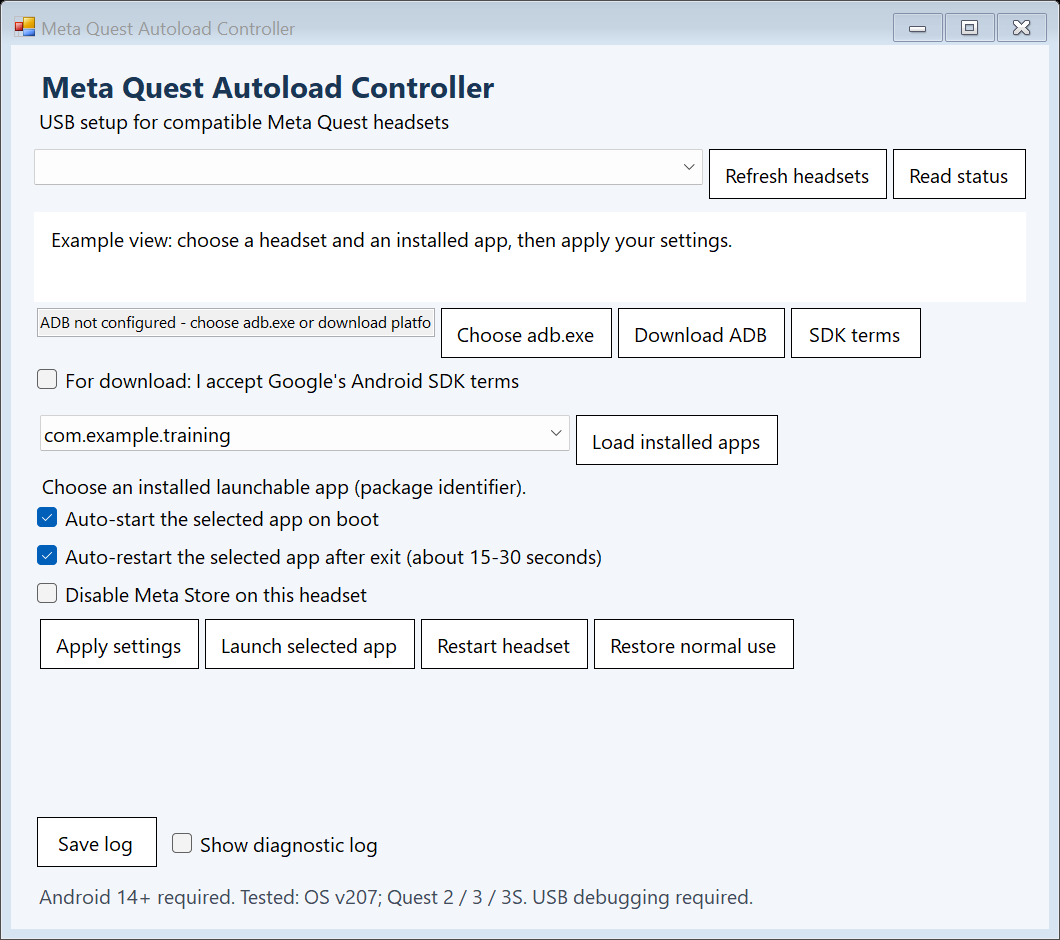
The controller’s Restore normal use option disables the helper and restores the Store. I’ve shared the source under the MIT licence, with a Windows download and setup instructions.
It requires Windows 10/11 and a Quest running Android 14 or later, with developer mode and USB debugging enabled. Testing covers Meta Horizon OS v207 on Quest 2, Quest 3 and Quest 3S, including user-reported checks.
This is a community utility. System menus and prompts remain accessible, so it does not provide a secure kiosk lock. Firmware updates can change the behaviour; check your app and headset setup. The repository documents the compatibility details and limitations.